Calm Your Stack Read & write in flow on Substack
Substack can get noisy. Endless carousels. "Up Next" loops. Trending bait. Search boxes you didn't ask for. Calm Your Stack gently hides the clutter so you can focus on ideas, craft and connection.
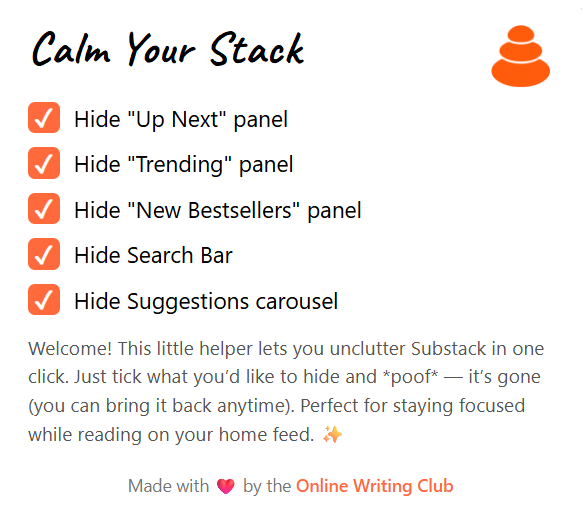
- ✅Hide "Up Next", "Trending", and "New Bestsellers" panels
- ✅Remove the global search bar (bring it back anytime)
- ✅Silence the distracting Suggestions carousel
- ⚡Instant toggle via popup
- 🪶Lightweight & private.
Works on substack.com. Made with ❤️ by the Online Writing Club.
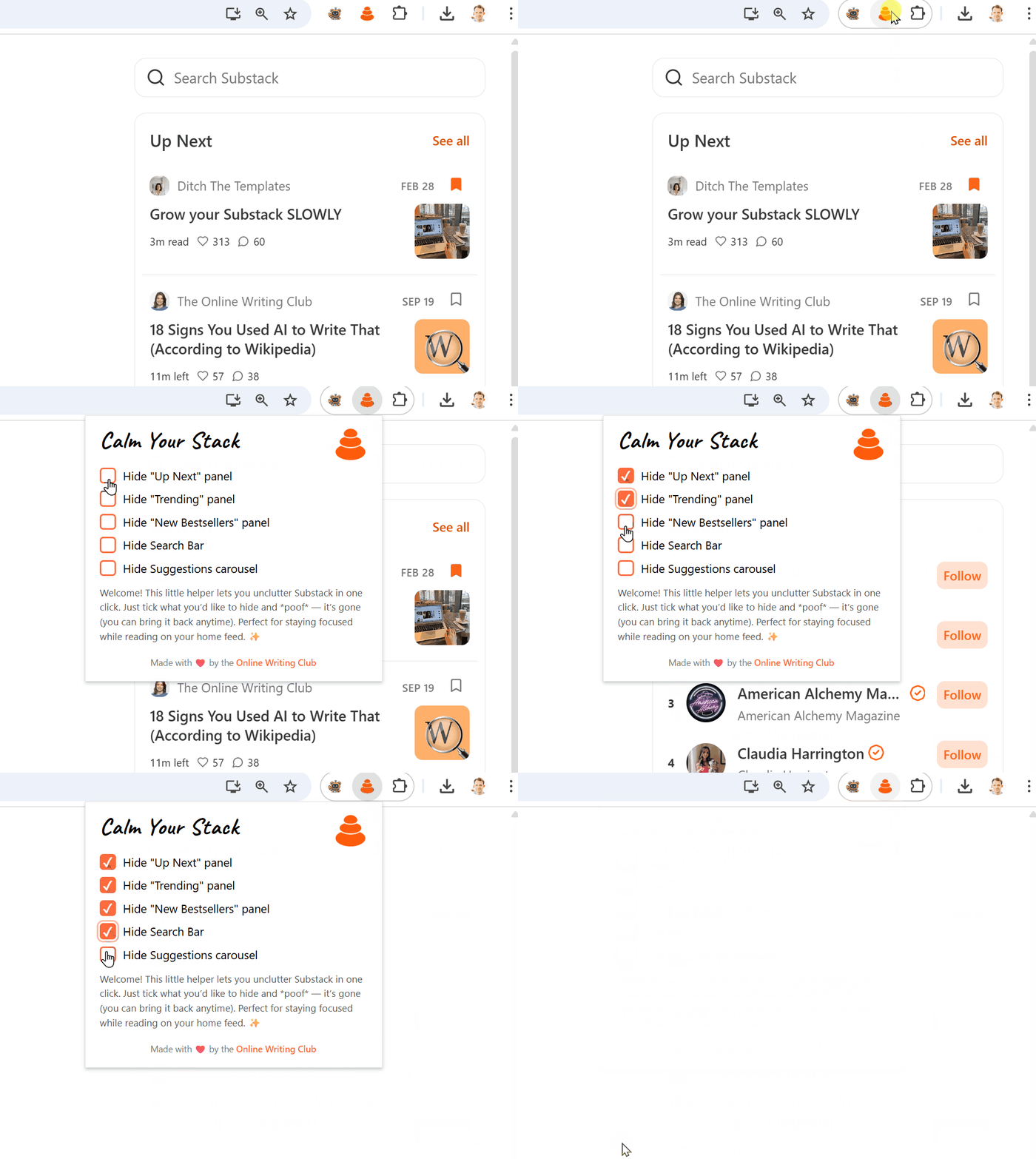
👀 What it looks like
Instead of fighting sidebar widgets, you're left with roomy reading space and less temptation to click away. Elements are only hidden, so you can restore them instantly from the popup. The extension patiently re-applies your preferences after client side navigation.
Before
- Up Next
- Trending
- New Bestsellers
- Suggestions carousel
- Search bar
After
- Just writer + story
- Calm reading column
- Less dopamine pull
- Focus preserved
No tracking. No analytics. Runs only on Substack domains.
🛠️ Manual Installation – Chrome / Edge / Brave (Chromium)
Works in any Chromium-based desktop browser (Chrome, Microsoft Edge, Brave, Vivaldi, Arc, Opera, etc.). Firefox & Safari builds may come later – for now you can use a Chromium browser alongside your primary one if you wish.
- 1. Download the calmyourstack.zip above and unzip it to a convenient folder.
- 2. Open the extensions page:
chrome://extensions(Chrome) •edge://extensions(Edge) •brave://extensions(Brave) • others: usuallybrowser-name://extensions. - 3. Enable Developer mode (top-right in Chrome/Brave, toggle bottom-left in Edge, similar in others).
- 4. Click Load unpacked (Edge: also "Load unpacked") and choose the unzipped
CalmYourStackfolder. - 5. Confirm the extension appears; you can pin it to your toolbar for quick toggling.
- 6. Visit
https://substack.com/home. The distracting panels vanish. - 7. Click the Calm Your Stack icon → use the checkboxes to re-show anything you need.
🤔 Why manual?
Early release. Chrome Web Store / Edge Add-ons submission review takes time. This lets you benefit immediately. The code is tiny & transparent so you can inspect it yourself.
🙈 What gets hidden?
- Up Next panel
- Trending panel
- New Bestsellers panel
- Global search bar
- Suggestions carousel
If Substack changes labels you may need an update – check back here for new versions.
🌐 Microsoft Edge / Others
Edge / Brave / Vivaldi / Arc follow the same process. If you get a warning about running unpacked extensions, it's normal for local development-style installs.
❓ FAQ
🔐 Is any data collected?
No. It only touches the page to hide elements. No network calls, no analytics, no trackers.
✍️ Will this break writing or publishing?
No. Only optional recommendation / discovery UI is hidden. All core Substack functionality remains.
🔄 How do I update?
Return here, download the new zip, remove the old unpacked folder and load the new one.
🧘 Ready to focus?
Spend more time reading & thinking – less chasing algorithmic breadcrumbs.